ESP32 Rock, Paper, Scissors
Interactive Hardware Game with ESP32 & OLED Display
Skills
- Firmware
- Finite State Machines
- PCB Design
- Circuit Design
- C Programming
- Debugging
Tools
- ESP32
- OLED Display
- LEDs
- Arduino IDE
- KiCad
Project Overview
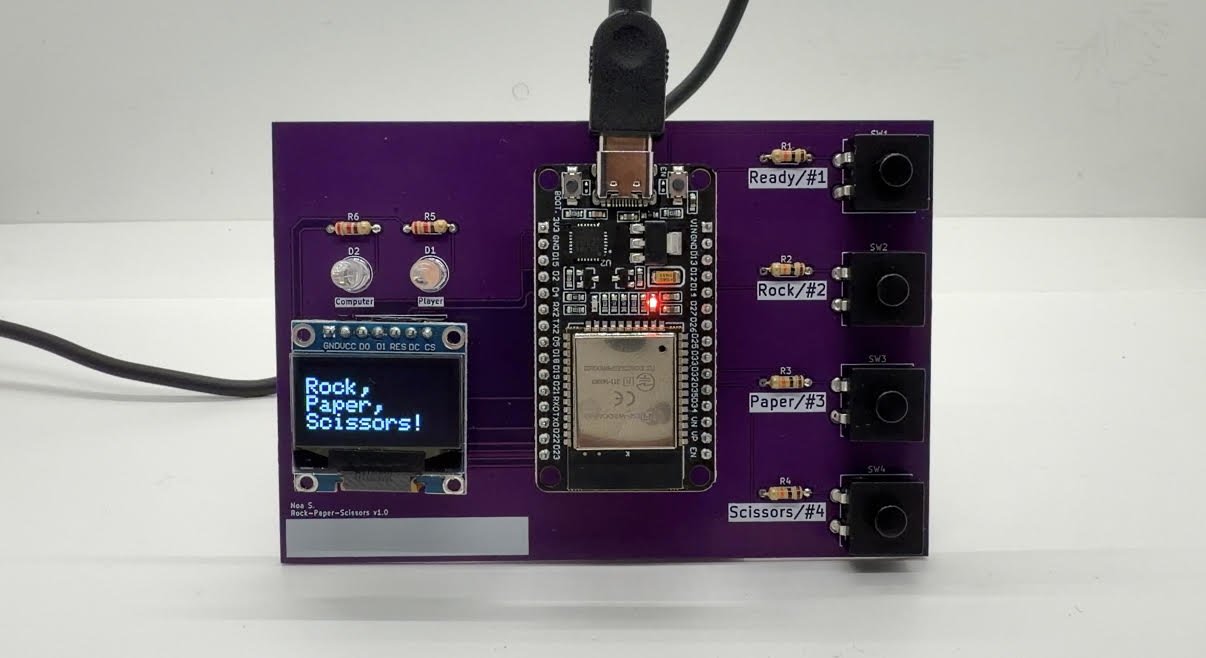
This is an ESP32-based Rock-Paper-Scissors game that showcases my programming, hardware, and PCB design skills. I chose to take this on independently because I wanted to grow my knowledge and build something that combined technical depth with creativity. While I'd worked with the ESP32 before, using it in a game context was new territory and made the project feel fresh and genuinely fun to build!
The system integrates an OLED display, physical buttons, and LEDs to turn simple game logic into a complete interactive experience. It gave me room to explore concepts I was curious about, and it was rewarding to create a polished project from start to finish.
How It Works
The game runs as a finite state machine in the ESP32's main loop. Each state controls the OLED display and active inputs, moving through welcome, rules, round selection, countdown, gameplay, and results. Button presses drive both setup and play, while LEDs provide immediate feedback for game state and outcomes.
The computer's move comes from the ESP32's hardware random number generator. I implemented button debouncing to prevent false triggers and carefully selected GPIO pins to avoid boot and flash mode conflicts. These small details made a real difference in how responsive the game felt.
The Process
I chose to implement the game logic as a finite state machine because it was something I was familiar with from my ECE0202 class.
To start, I mapped out each state and transition before writing any code. This structure kept the implementation organized and made debugging significantly easier. I moved on to programming the ESP32 and OLED screen in C using the Arduino IDE.
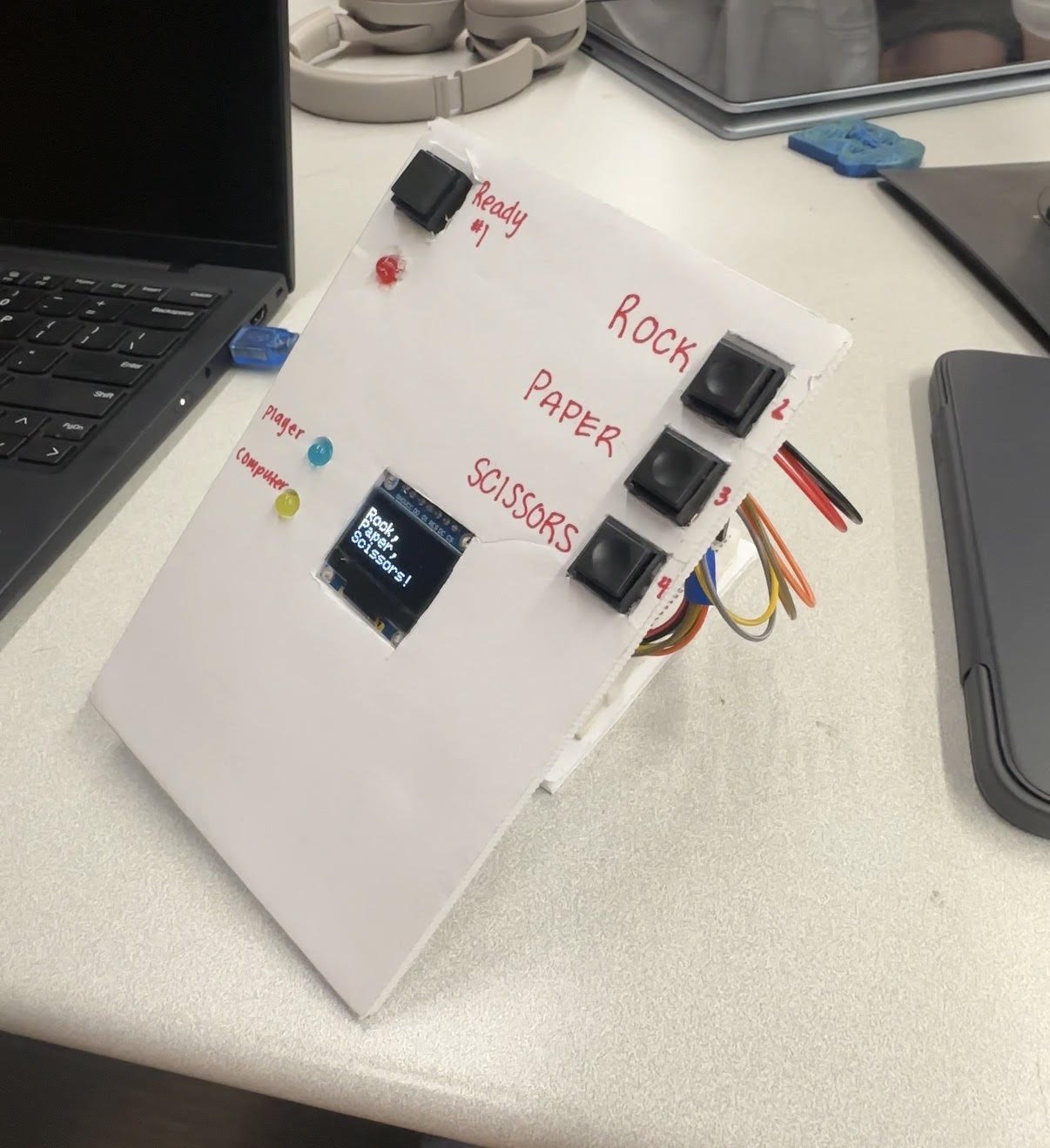
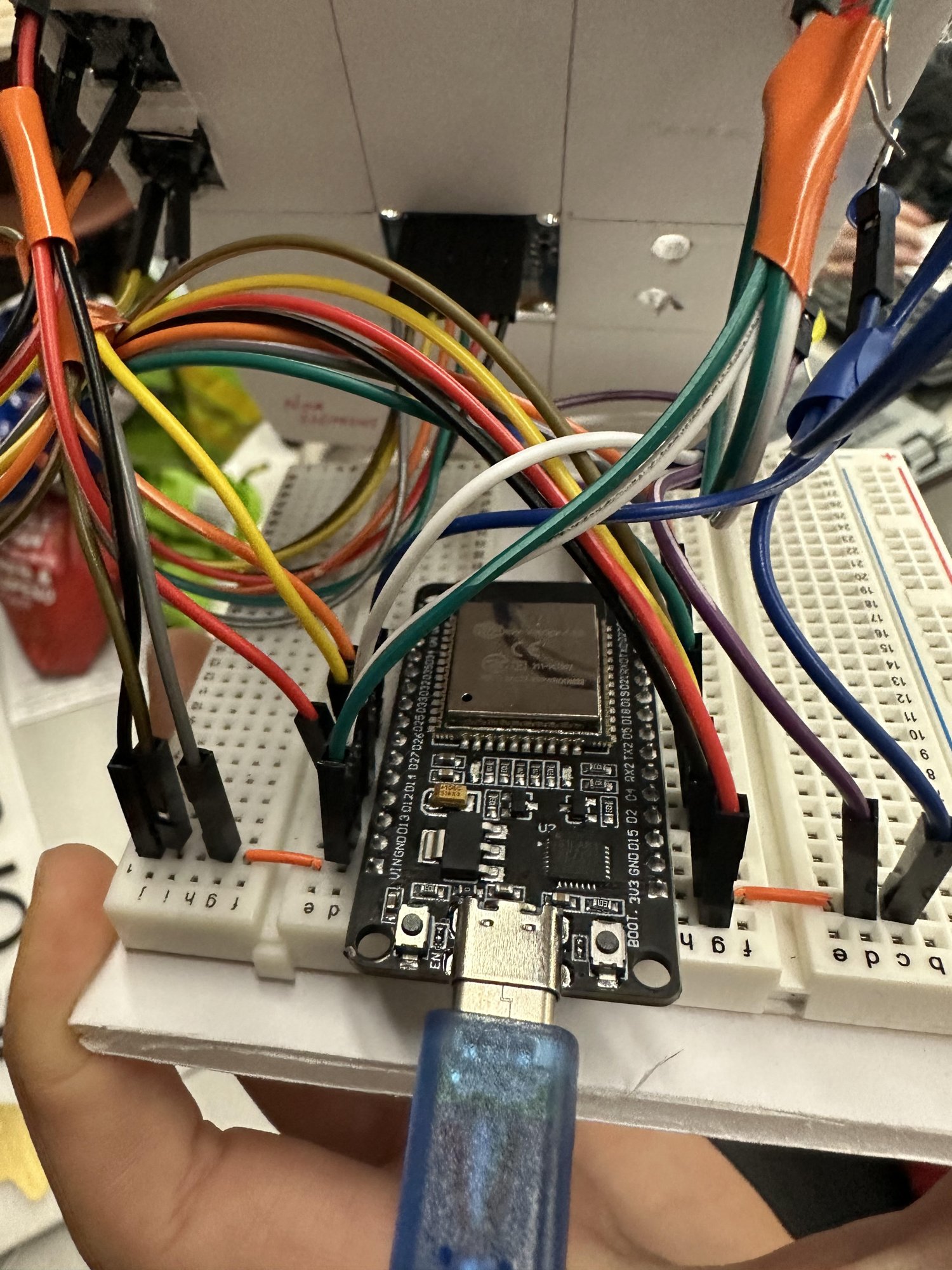
My first iteration was build on a breadboard, but hit some roadblocks early on. Button debouncing became a real issue. Without it, a single press would register multiple times, causing the state machine to skip states or trigger unintended transitions. I spent time implementing debounce libraries on Arduino until button presses felt clean and state transitions happened exactly when they should.
Getting the breadboard version fully functional was very exciting. Watching the game run through welcome screens, countdowns, and gameplay felt rewarding after troubleshooting all those edge cases. But looking at the nest of jumper wires and loose components, I realized it didn't feel finished. The game worked, but it didn't look or feel like a complete system. I knew I could take it further!
That's when I decided to design a PCB and fully implement the hardware instead of leaving it on the breadboard. PCB design was completely new territory for me. My brother walked me through layout basics and reviewed my schematics, which made the learning curve manageable. Seeing the game run on a board I'd designed myself made the project feel much more complete.
What I Learned
This project taught me what it means to take something from initial idea all the way through to working hardware. I had to move through each step deliberately: sketching out the logic, prototyping on a breadboard, debugging software and hardware issues, then designing a PCB. A lot of it involved teaching myself how software and hardware interact in ways I hadn't dealt with before.
What made it rewarding was seeing concepts from my classes actually come together in a real system. The finite state machine logic, circuit design, and C programming I'd learned separately all had to work in sync. Even though the implementation itself was relatively simple, watching those pieces connect (code controlling hardware, hardware responding to inputs, everything functioning as one complete system) made those abstract class concepts feel concrete and useful.
The biggest surprise was how much I enjoyed PCB design. What started as intimidating quickly became one of my favorite parts of the project. Learning to route traces, manage power distribution, and troubleshoot layout issues built my confidence with hardware development in a way.
Future Updates
If I keep developing this project, I want to focus on accessibility. Right now, the buttons are small and the screen can be hard to read, which limits who can comfortably play the game. I'd love to redesign the system with a larger OLED display and bigger, more tactile buttons that are easier to press and distinguish from one another.
I'm also curious about adding an optional audio mode where a speaker reads out instructions and game state. Players could toggle this feature at the start, making the game fully playable without needing to read the screen at all. This would open up the experience to people with visual impairments or anyone who prefers audio feedback.
These changes would let me apply concepts I've been learning in my disability studies and UX classes to a real project. Going through multiple design iterations, testing different button layouts, screen sizes, and audio integration, would help me understand what actually makes a game feel accessible versus just technically functional. The goal isn't just to make the game work for more people, but to make it genuinely enjoyable for people with differing abilities.
Beyond accessibility, I'd also like to design a custom enclosure and continue refining the PCB layout for better component placement. Experimenting with more complex OLED animations or additional game modes could make the gameplay more engaging. This feels like a solid foundation with a lot of room to grow, stay tuned to see my future adjustments to the game!